The Great Windows Exodus: Why Zorin OS Is Winning the Desktop Migration
Windows 10 EOL, hardware lock-in, and telemetry concerns are driving users to Linux. Here's why Zorin OS is leading the charge.
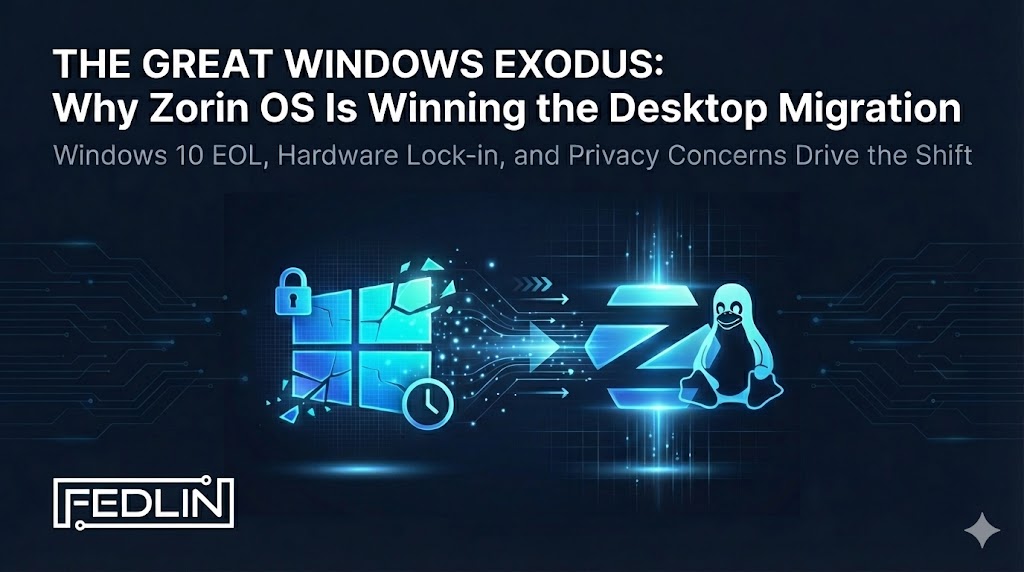
Four years ago, I did my first budget desktop build. With $500 to work with, I spent hours reviewing YouTube videos to plan my build. When it came time to choose an operating system, I didn't want to deal with the inconvenience of Windows licensing. I'd been wanting to transition to Linux to get away from it for a while, but I wasn't willing to deal with the learning curve on my primary machine. This budget build was the perfect opportunity—an incentive to finally take the plunge. So I decided to give Fedora Linux a shot.
That first experience was rough. Kernel panics, GRUB menu configurations, and what felt like excessive time in the terminal—this was before the advent of AI assistants that could help troubleshoot. But despite the challenges, I found myself really enjoying the Linux experience. I even preferred it.
I eventually switched to Ubuntu for more stability, and later to Debian for even more stability. Today, almost every device I own in my house runs a Linux distribution. I run my business from my Fedora Linux 41 Dell laptop, store data on an old device now living as a makeshift server running Fedora Linux Server, and helping convert people to Linux is a regular activity for me—both in my business and personal life.
If you're considering making the switch, you're not alone. And the path is smoother now than it was four years ago.
The Perfect Storm: Why Now?
Something unusual is happening in the desktop operating system market. After decades of Windows dominance, we're witnessing a genuine inflection point—and it's being driven by Microsoft's own decisions.
Three forces are converging to create what may be the largest voluntary migration away from Windows in computing history:
October 14, 2025
TPM 2.0 + Secure Boot
Mandatory Telemetry
Each of these alone would cause friction. Together, they're creating a migration event that Linux distributions—particularly Zorin OS—are uniquely positioned to capture.
The Scale of the Problem
Let's put this in perspective. With Windows 10 support having ended in October 2025:
- !60%+ of existing Windows PCs don't meet Windows 11's hardware requirements. That's hundreds of millions of devices suddenly "obsolete."
- !TPM 2.0 is non-negotiable—Microsoft has explicitly stated they won't relax requirements. Workarounds exist but receive no support.
- !Extended Security Updates come at a cost that increases over time. For those with multiple devices, these ongoing payments can become untenable.
💡 The math is simple: Privacy-minded individuals and solopreneurs face a choice between expensive hardware refreshes, ongoing ESU payments, or exploring alternatives. For the first time, that third option is genuinely viable.
Windows 11: The Telemetry Elephant
Even for users with compatible hardware, Windows 11 presents a different problem: extensive data collection that's difficult to fully disable.
Windows 11's telemetry system collects various types of data including application usage, hardware information, diagnostic data, and more. While users can reduce some data collection through settings, completely disabling telemetry isn't straightforward, and even reduced settings may still transmit data to Microsoft servers.
For privacy-conscious users and solopreneurs handling sensitive data, this level of data collection—and the difficulty in controlling it—can be a significant concern. The privacy implications extend beyond just telemetry, with features like Recall (which captures and stores screen activity) signaling Microsoft's direction on user privacy, even when such features are opt-in.
For those in regulated industries or anyone prioritizing privacy, the lack of clear control over data collection creates real concerns. Linux distributions, by contrast, don't include this level of built-in telemetry by default, giving users more control over their data.
Why Zorin OS Is Capturing the Migration
Linux distributions have existed for decades, so why is Zorin OS specifically seeing such growth? Because they've solved the actual barriers to adoption:
1. Familiar Interface, Minimized Learning Curve
Zorin OS doesn't replicate Windows exactly—it's still Linux under the hood—but it's designed to be significantly more intuitive than traditional Linux distributions. The taskbar, start menu, file manager, and system tray follow familiar Windows-like conventions, making the transition smoother for users coming from Microsoft's ecosystem. This isn't a gimmick—it's the single biggest factor in successful migrations.
What sets Zorin apart from other Linux distributions is its thoughtful integration of tools that make installing Windows packages more accessible than the layman might find elsewhere. The built-in Wine compatibility layer and PlayOnLinux integration are pre-configured and ready to use, making running Windows software straightforward—something that would typically require significant technical knowledge and manual configuration on other Linux distributions. Zorin's Software Center also provides one-click installation for many Windows applications, with clear instructions and automated setup that removes the complexity that often deters newcomers from Linux. These integrations mean that users who need to run Windows-specific software can do so without diving into terminal commands or complex configuration files, making Zorin a more approachable entry point into the Linux ecosystem.
Zorin includes Wine and PlayOnLinux integration, allowing many Windows applications to run directly. For apps that can't, alternatives are suggested during installation.
2. Runs on "Unsupported" Hardware — Lightweight and Speedy
That PC Microsoft says is obsolete? Zorin OS will likely run better on it than Windows 10 did. Zorin Lite specifically targets older hardware, breathing new life into machines that would otherwise be e-waste.
One of the most significant advantages of Linux distributions is their lightweight nature and performance compared to Windows. Linux distributions are renowned for their efficiency and speed, and Zorin OS is no exception. The operating system runs smoothly on hardware that would struggle with Windows 11, breathing new life into older machines that would otherwise be considered obsolete.
This lightweight nature translates to tangible performance benefits: faster boot times, more responsive applications, and better overall system performance. Linux distributions typically use far fewer system resources than Windows, meaning more RAM and CPU cycles available for your actual work. While Windows 11 struggles even with its minimum 4GB RAM requirement—running like molasses at that level—Linux distributions can run efficiently on much less, leaving more resources for applications. This efficiency means snappier performance, longer battery life on laptops, and the ability to run more applications simultaneously without system slowdowns. The speed difference is often immediately noticeable, especially on older hardware or systems with limited resources.
3. Privacy Considerations
Privacy is a fundamental concern in today's digital landscape, and Zorin OS takes a different approach to data collection compared to Windows 11. While we can't guarantee absolute privacy or make absolute claims, Zorin OS doesn't include the same level of built-in telemetry collection that Windows 11 performs by default.
Windows 11 collects a wide range of telemetry data including device information, usage patterns, application usage, and diagnostic data—often without clear user consent or easy opt-out mechanisms. Zorin OS, by contrast, doesn't collect this information by default. The operating system doesn't transmit usage data, application telemetry, or device diagnostics to external servers in the same way Windows 11 does. This means users have more control over their data and aren't subject to the same level of background data transmission that occurs automatically in Windows 11.
4. Modern Linux as Viable Workstations
Modern Linux distributions have evolved into fully capable workstations that can handle professional workloads. The days of Linux being limited to server environments or developer-only use cases are long gone. Today's Linux distributions offer robust desktop experiences with excellent hardware support, professional software availability, and the reliability needed for business operations.
I've been using Fedora Linux Workstation and Server for all my major business operations, and the experience has been exceptional. Fedora Workstation provides a polished, modern desktop environment that handles everything from development work to business applications seamlessly. The Fedora Server edition powers critical infrastructure with the same reliability and performance you'd expect from enterprise solutions. This isn't just a hobbyist setup—it's a production environment that supports real business needs, from client work to internal operations.
The Linux ecosystem has matured to the point where distributions like Fedora, Ubuntu, and Zorin can serve as primary workstations for professionals across industries. With excellent support for development tools, office suites, creative software, and business applications, modern Linux distributions are no longer a compromise. Based on your priorities—whether that's privacy, performance, cost, or control—Linux may be a more sophisticated option than you might expect.
Planning a Windows-to-Linux Migration
For privacy-minded individuals and solopreneurs considering the move, here's a practical approach:
Use AI tools to analyze your hardware specifications and determine which Linux distribution is most compatible with your system. Modern AI assistants can assess your CPU, GPU, RAM, and peripheral devices to recommend distributions that will work best with your specific hardware configuration. Consider your priorities—whether you need maximum performance, specific software compatibility, or the most Windows-like experience—and let AI help match those needs to the right distribution.
Identify which applications are Windows-only, which have Linux versions, and which can be replaced with cross-platform alternatives. Many modern web apps work just fine.
Before committing, test Linux on a live USB drive using an otherwise obsolete or secondary device. This lets you get comfortable with the interface and workflow without making any changes to your primary machine. You'll quickly identify any software gaps or workflow adjustments needed.
Once you're comfortable, commit to reimaging the entire hard disk rather than dual-booting. Dual-boot setups can bloat your machine and create unnecessary complexity. A clean Linux installation gives you better performance and a simpler system to maintain.
Back up all important data before reimaging. Export browser bookmarks, save configuration files, and ensure you have access to any software licenses or keys you'll need to reinstall.
Perform the reimage and install your chosen Linux distribution. The installation process is typically straightforward, and you'll have a clean, optimized system ready to use.
💡 Need Help Deciding or Executing?
Not sure which Linux distribution is right for your hardware and needs? Or prefer to have the migration handled by professionals? Our GRC Engineering provides consultation to help you choose the best Linux distribution based on your specific hardware capabilities and personal or business requirements. We can also perform the complete migration for you, ensuring a smooth transition tailored to your unique needs.
Security Implications
From a security perspective, Linux offers several structural advantages:
- Smaller Attack Surface: Linux desktop malware exists, but the threat landscape is orders of magnitude smaller than Windows. Attackers focus on Windows because that's where the targets are.
- Package Manager Security: Software installed through Zorin's package manager is cryptographically signed. No hunting for installers on sketchy download sites.
- Transparent Codebase: Open source means no hidden backdoors. Security researchers worldwide audit the code—try doing that with Windows.
- Rapid Patching: When vulnerabilities are discovered, patches often ship within hours. No waiting for "Patch Tuesday."
⚠️ Note: Linux isn't inherently more secure by magic—it still requires proper configuration, updates, and security practices. But it starts from a better baseline and doesn't actively work against your privacy.
🔒 Need Help with Linux Systems & Security?
Whether you're migrating from Windows or hardening existing Linux infrastructure, we can help ensure your deployment is secure and compliant.
The Bottom Line
Microsoft created the conditions for a genuine desktop Linux migration moment, and that moment is here. Windows 10 reached end-of-life in October 2025, hardware requirements continue to push users away, and privacy concerns provide the pull toward alternatives.
For privacy-minded individuals and solopreneurs, the question isn't whether to migrate—it's where to migrate to. Zorin OS and other modern Linux distributions offer viable migration paths that preserve user familiarity while eliminating the telemetry, forced upgrades, and hardware lock-in that have made Windows increasingly untenable.
The migration window is open. With Windows 10 support ended and Windows 11's limitations becoming clearer, Linux distributions have never been more accessible or capable as primary workstations.
Subscribe to Security Insights
Get enterprise security tips, compliance guides, and best practices delivered to your inbox.
Not sure where your security posture stands?
Start with a scoping call. We map your exposure across web, email, credential, AI, and breach history, and sequence the work into a prioritized plan with a Year 1 roadmap, built around what your architecture requires.